❯ man spanna
Everything you need to work with MongoDB
Free covers the day-to-day on every surface — web, desktop, and mobile (preview). Connect, query, edit, index, analyse, diff. Pro adds the depth tools — saved queries, set diff, schema insights, cross-connection copy, index advisor + what-if — and the higher limits to use them at scale.
❯ spanna --free
Free — what every account gets
Desktop works without an account at all; web requires a free account so we can attach your encrypted Vault. Same product on every surface, with the standard Free limits (5 saved / 2 active connections, 100-doc pages).
spanna connect <uri> Local connections with Username/Password, OIDC, x.509, Kerberos, AWS IAM, or SRV strings. Credentials live in the OS keychain via Electron safeStorage.
spanna table <coll> Virtualised data table for 10k-row collections. Tabular and tree views, sticky columns, find/sort/filter, inline edit with typed value editors for ObjectId / Date / Decimal128.
spanna shell Real vm-based JS REPL inside the desktop app. Cmd+↩ to run, Cmd+↑↓ for history, autocomplete from your collections + schema, named snippets, BSON helpers (ObjectId / ISODate / NumberLong / ...).
spanna find --explain Run any find query with .explain() output rendered visually — winning plan, indexes used, docs / keys examined.
spanna index create Compound, unique, TTL, partial, wildcard, and text indexes via a step-by-step wizard. Hide / unhide for what-if testing.
spanna schema analyse Sample any collection to discover field names, types, and coverage percentages. Useful when you inherit unfamiliar data.
spanna diff <docA> <docB> Side-by-side or merged document compare with show-only-diffs, ignore-fields, and copy-as-patch. The same view across tree + raw JSON.
spanna import / export JSON (NDJSON or array) and CSV with preview, field mapping, type inference, dry-run validation, and upsert-by-_id. Free supports up to 10k docs / 25 MB per op.
spanna copy <doc> Copy any document or query as code — mongosh, Node.js (mongodb), Python (pymongo), or raw JSON. BSON values unwrap into the right constructor per language.
❯ ls -la /surfaces
The surfaces you'll touch every day
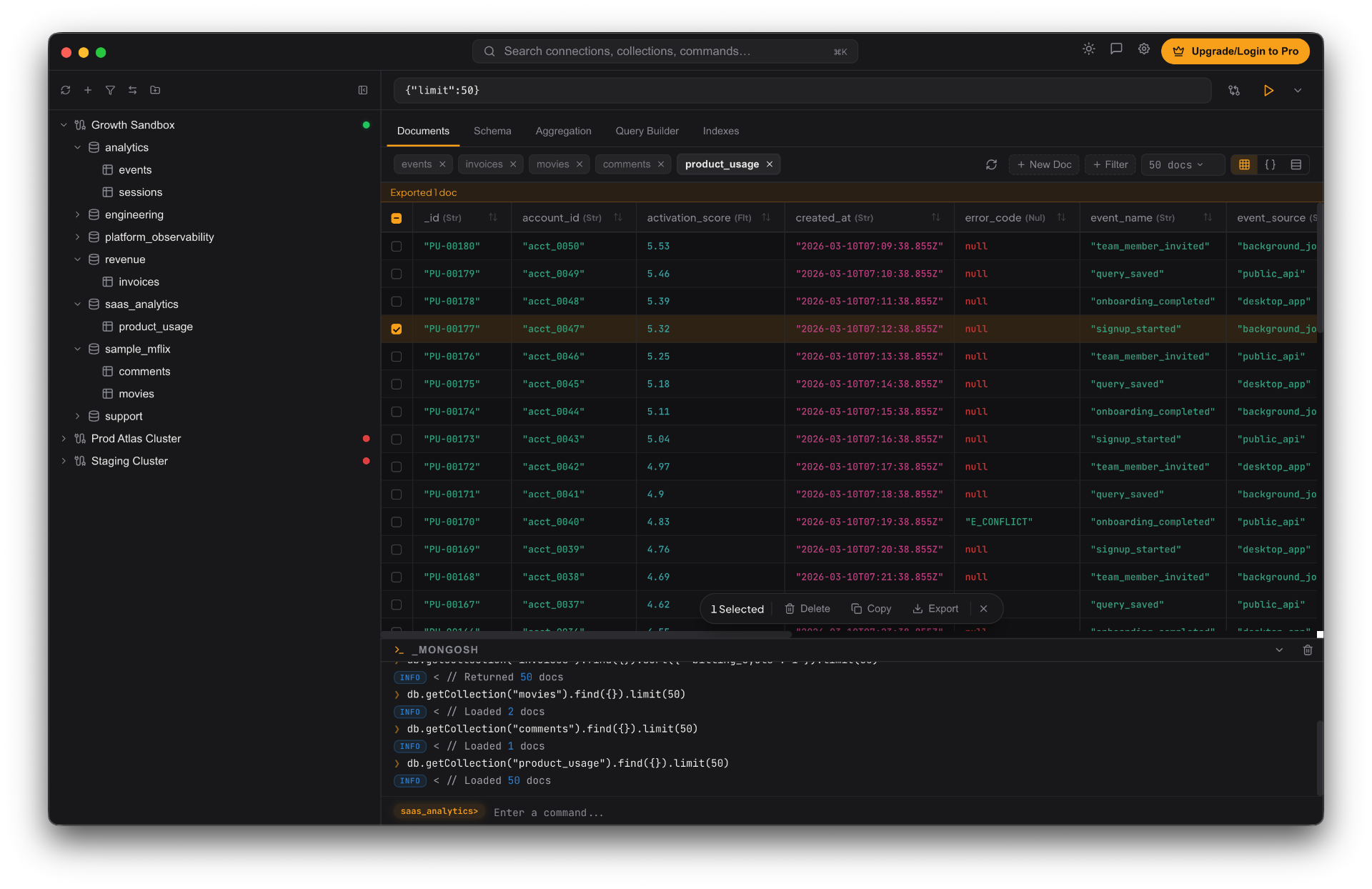
Data browser
A spreadsheet that respects MongoDB
Tabular and tree views over the same documents. Inline edits, typed value editors for ObjectId / Date / Decimal128, undo with a 5-second toast on destructive deletes, and bulk operations that don't lock the UI.
Aggregation builder
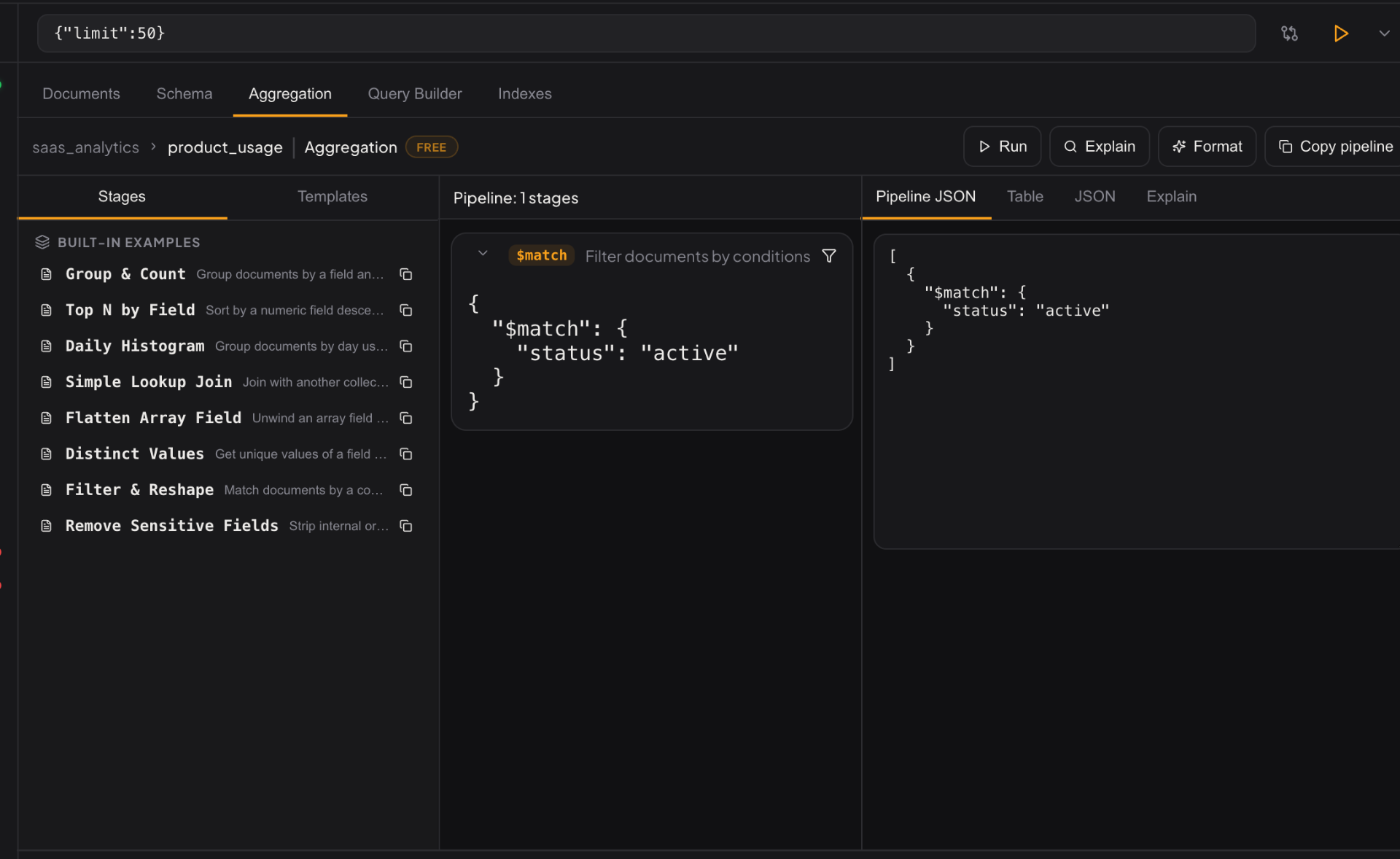
Build pipelines without the cliff
Stage library on the left, pipeline canvas in the middle, results on the right. Preview output stage by stage, hover any operator for inline MongoDB docs, save your pipeline as a reusable template.
Document compare
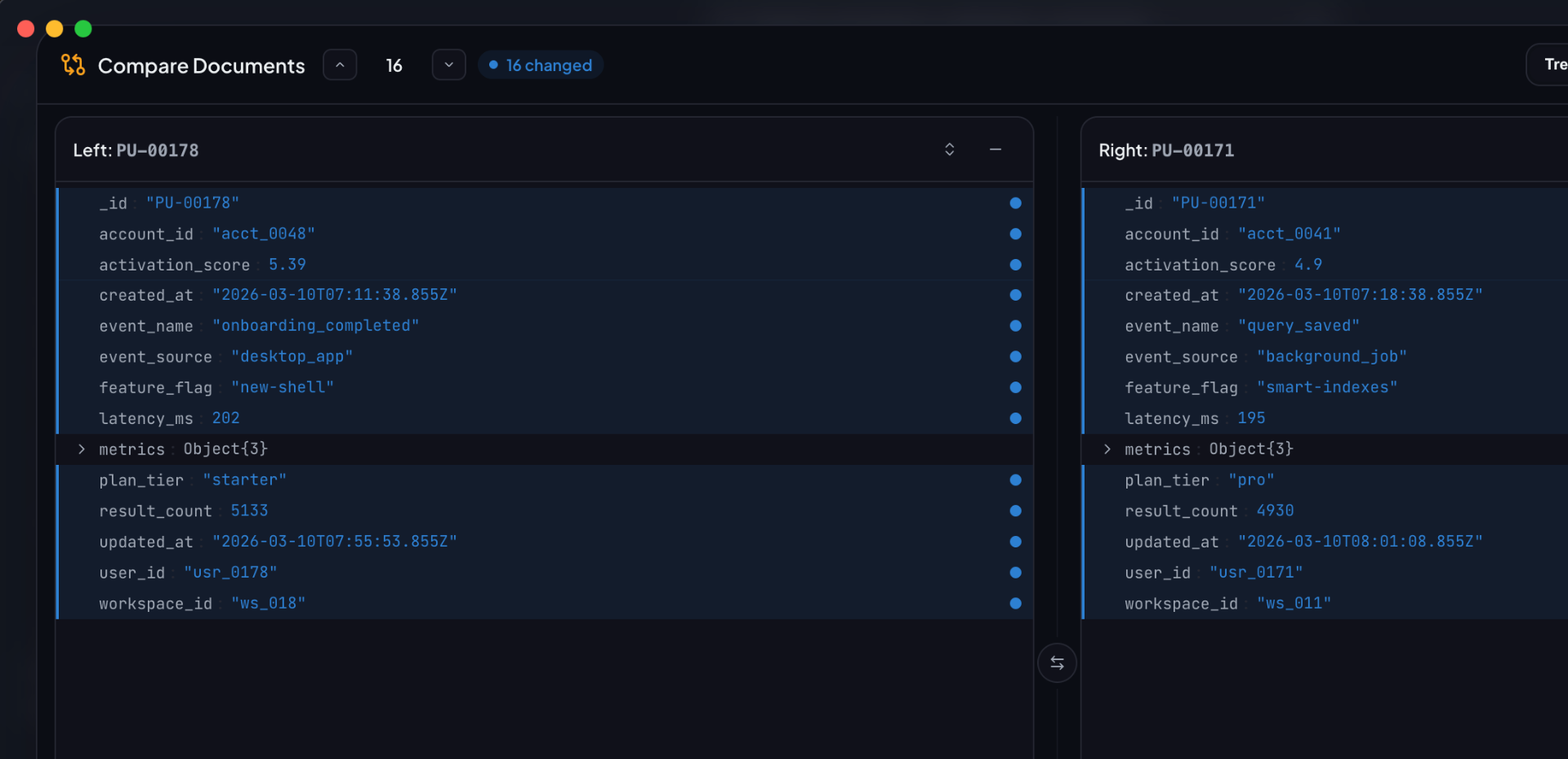
Diff documents the way you diff code
Pick two documents from the same collection or across connections. Side-by-side or merged view, show-only-diffs toggle, ignore fields, copy-as-patch. Built for the times when 'why is this row different' becomes a 30-minute hunt.
Index manager
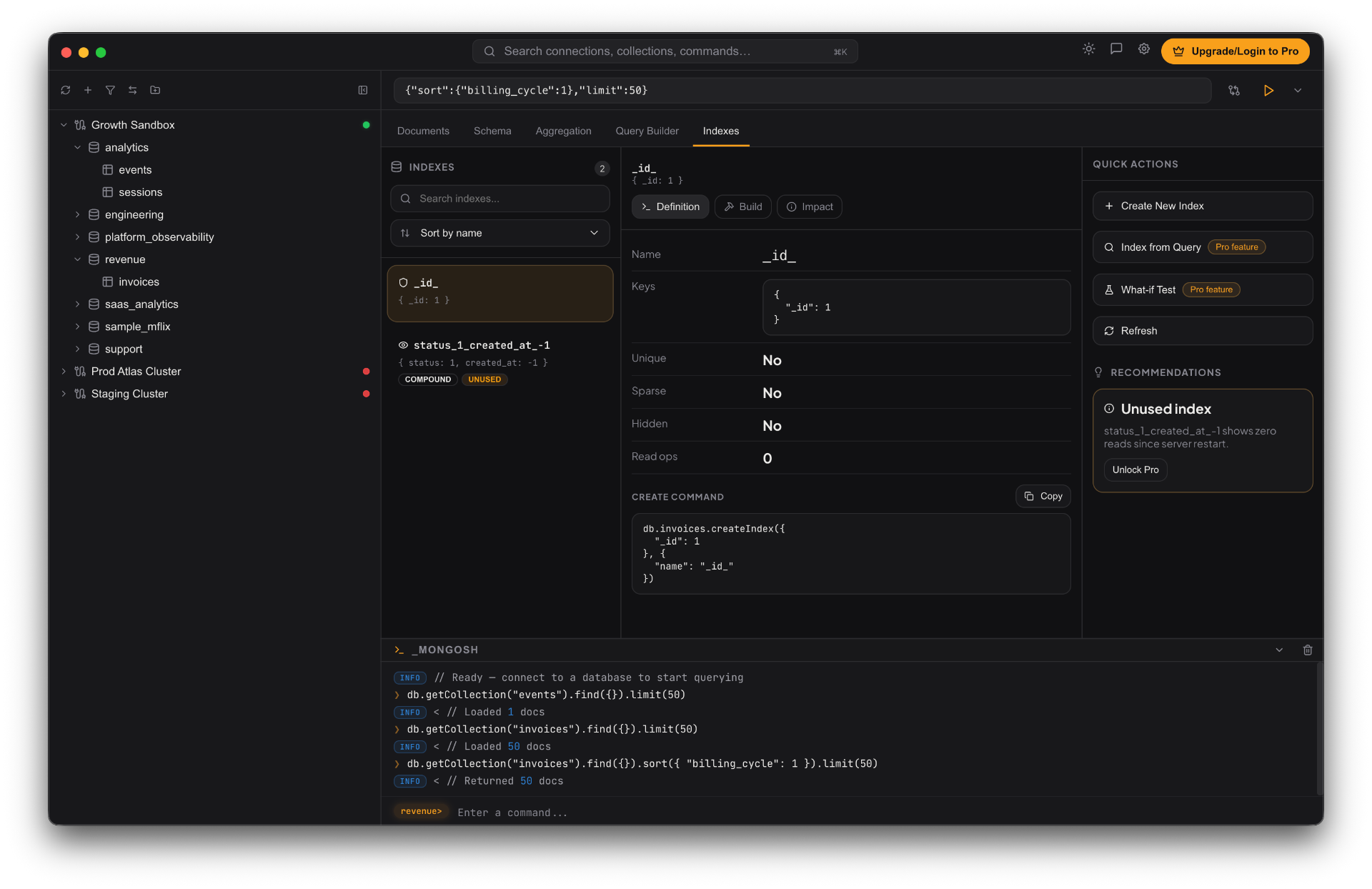
Indexes you can reason about
Wizard-driven creation for every index type Mongo supports. Per-index hide / unhide for what-if testing, usage insights showing actual query coverage, and unused-index detection. The 'why is this query slow' loop done as a single workflow.
❯ spanna --pro
Pro — workflows that scale
Everything in Free, plus the depth tools — saved queries + library, cross-connection copy, index advisor + what-if, set diff, schema insights, advanced import/export — and the higher limits to use them at scale.
spanna queries --save Saved queries + named query library. Organise the one-offs you keep retyping; share them across desktop and the web client via Pro settings sync.
spanna copy --to <conn> Cross-connection copy or move for collections and entire databases — append, upsert, and replace conflict policies with background job tracking.
spanna index --whatif Hide an index → re-explain → measure the impact → roll back. The full index-tuning loop without touching production state irreversibly.
spanna index --advisor Per-query index recommendations based on actual usage. Spot the missing index that explains your slow query.
spanna diff --sets Set diff — compare entire collections (or filtered query results) document-by-document. Surface only what actually changed.
spanna schema --insights Advanced schema analysis: field-level stats, type-coverage heatmaps, anomaly detection on inherited collections.
spanna export --bson BSON / mongodump for full databases or multiple collections, with optional compression and index inclusion. SQL export with schema mapping. Background processing for large jobs.
spanna safe-mode Production guardrails. Destructive operations require explicit confirmation, and dangerous aggregation stages ($out, $merge) are gated behind safety checks.
spanna --limits 1000-doc result pages, unlimited saved connections, unlimited query history, ~10× the proxy rate cap. Built for dashboards and multi-connection workflows.
Try it on the database you opened five minutes ago.
no sign-up · no credit card · works on the database you've already got